Phone System: Difference between revisions
Luka Matkic (talk | contribs) Created page with "== General == Phone is used for communication with other players on server by sending SMS messages. Phone must be purchased from any shop in order to be used. == Usage == To open phone use /phone (or short /p) command. Navigate phone menu using KEY_UP, KEY_DOWN, KEY_SPRINT (space) and KEY_SECONDARY_ATTACK (enter). To hide phone use navigation keys or just repeat /phone (or short /p) command. You can send SMS message to any player (even offline ones). There is phonebo..." |
Luka Matkic (talk | contribs) No edit summary |
||
| (7 intermediate revisions by the same user not shown) | |||
| Line 1: | Line 1: | ||
== General == | == General == | ||
Phone is used for communication with other players | Phone is used for communication with other players by sending SMS messages. You must purchase the phone and phone credits in order to use it for sending SMS messages. | ||
<gallery widths=330px heights=200px> | |||
File:Phone_Start_Menu.png|Phone start menu | |||
</gallery> | |||
== Usage == | == Usage == | ||
| Line 7: | Line 11: | ||
To open phone use /phone (or short /p) command. Navigate phone menu using KEY_UP, KEY_DOWN, KEY_SPRINT (space) and KEY_SECONDARY_ATTACK (enter). To hide phone use navigation keys or just repeat /phone (or short /p) command. | To open phone use /phone (or short /p) command. Navigate phone menu using KEY_UP, KEY_DOWN, KEY_SPRINT (space) and KEY_SECONDARY_ATTACK (enter). To hide phone use navigation keys or just repeat /phone (or short /p) command. | ||
You can send SMS message to any player (even offline ones). There is phonebook to help you find phone number | You can send SMS message to any player (even offline ones). There is phonebook to help you find any player's phone number. If player does not have phone phonebook will display it as "No phone.". | ||
When you send or recieve SMS message they are set as unread. In inbox these messages are marked as 'new', but in outbox they are marked as 'unr'. If recipient is currently online message will be set as read automatically, if not recipient must read message manually on phone's inbox when he connects to server. This way you can know who | When you send or recieve SMS message they are set as unread. In inbox these messages are marked as 'new', but in outbox they are marked as 'unr'. If recipient is currently online message will be set as read automatically, if not recipient must read message manually on phone's inbox when he connects to server. This way you can know who is your friend and who is just ignoring you... | ||
== Credits and phone number == | == Credits and phone number == | ||
| Line 15: | Line 19: | ||
Each SMS message costs some amount of credits. You must buy phone credits and apply them to you phone before you can send SMS message. | Each SMS message costs some amount of credits. You must buy phone credits and apply them to you phone before you can send SMS message. | ||
If you ever want to change phone number you can do that by buyin new phone. When you buy new phone your phone number will be changed | If you ever want to change phone number you can do that by buyin new phone. When you buy new phone your phone number will be changed but you will lost all your phone credits and SMS messages. | ||
== Colors == | |||
There is total of 11 different phone colors avaliable to players when purchasing new phone. Some colors are common but some are rare. | |||
<gallery widths=165px heights=100px> | |||
File:Phone_Yellow.png|Yellow phone | |||
File:Phone_Black.png|Black phone | |||
File:Phone_Red.png|Red phone | |||
File:Phone_Orange.png|Orange phone | |||
</gallery> | |||
== Images == | == Images == | ||
<gallery widths=330px heights=200px> | |||
File:Phone_Credits.png|List of SMS messages | |||
File:Phone Phonebook.png|Using phonebook | |||
File:Phone SMS menu.png|SMS menu | |||
</gallery> | |||
Latest revision as of 09:05, 5 January 2026
General
Phone is used for communication with other players by sending SMS messages. You must purchase the phone and phone credits in order to use it for sending SMS messages.
-
 Phone start menu

Usage
To open phone use /phone (or short /p) command. Navigate phone menu using KEY_UP, KEY_DOWN, KEY_SPRINT (space) and KEY_SECONDARY_ATTACK (enter). To hide phone use navigation keys or just repeat /phone (or short /p) command.
You can send SMS message to any player (even offline ones). There is phonebook to help you find any player's phone number. If player does not have phone phonebook will display it as "No phone.".
When you send or recieve SMS message they are set as unread. In inbox these messages are marked as 'new', but in outbox they are marked as 'unr'. If recipient is currently online message will be set as read automatically, if not recipient must read message manually on phone's inbox when he connects to server. This way you can know who is your friend and who is just ignoring you...
Credits and phone number
Each SMS message costs some amount of credits. You must buy phone credits and apply them to you phone before you can send SMS message.
If you ever want to change phone number you can do that by buyin new phone. When you buy new phone your phone number will be changed but you will lost all your phone credits and SMS messages.
Colors
There is total of 11 different phone colors avaliable to players when purchasing new phone. Some colors are common but some are rare.
-
 Yellow phone
 -
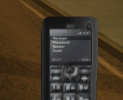 Black phone
 -
 Red phone
 -
 Orange phone


Images
-
 List of SMS messages
 -
 Using phonebook
 -
 SMS menu


